
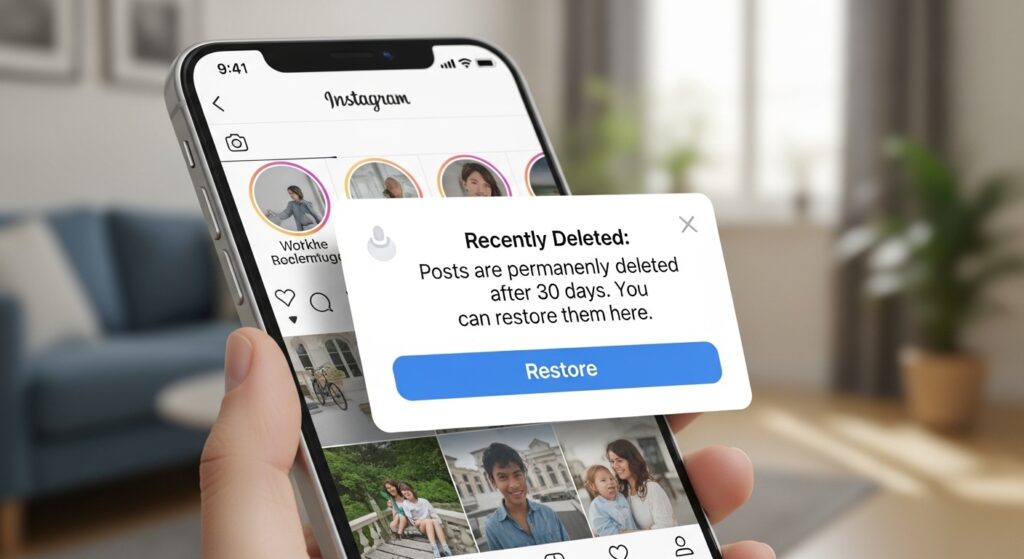
So you accidentally deleted an Instagram post and now you’re panicking. It happens more than you’d think. The big question everyone asks is: can you undelete Instagram posts? The short answer is — it depends. Instagram added a feature that makes recovery possible in some cases, but there’s a catch. You need to act fast, and you need to know where to look.
Let’s break down exactly what’s possible, what’s not, and what you should do right now.
How Instagram Handles Deleted Posts
When you delete a post on Instagram, it doesn’t vanish instantly from Instagram’s servers. Since 2022, Instagram introduced a Recently Deleted folder — similar to a recycle bin on your computer. This was a game-changer for users who accidentally removed content they actually wanted to keep.
Here’s how it works:
- Posts, Reels, Stories, and IGTV videos go into the Recently Deleted folder after deletion
- Regular posts and Reels stay there for 30 days
- Stories that haven’t expired stay there for 24 hours
- Live videos stay for 30 days as well
After that window closes, Instagram permanently removes the content. At that point, recovery directly from the app is no longer an option.
Can You Undelete Instagram Posts? Step-by-Step Guide
Yes, you can — if you’re within the time window. Here’s how to do it straight from your phone.
Step 1: Open Instagram and Go to Your Profile
Tap your profile icon in the bottom right corner of the app. Make sure you’re on the correct account if you manage multiple.
Step 2: Access the Menu
Tap the three horizontal lines (hamburger menu) in the top right corner of your profile page.
Step 3: Find “Your Activity”
Tap Your Activity from the menu options. This section holds a lot of useful data about your account.
Step 4: Tap “Recently Deleted”
Inside Your Activity, look for the Recently Deleted option. Tap it to open the folder.
Step 5: Restore Your Post
Find the post you want to recover. Tap on it, then tap the three dots in the top right. You’ll see an option to Restore. Tap that and confirm. Your post goes right back to your profile as if nothing happened.
Simple as that — if the post is still within the recovery window.
Angora Cat Splendor: Beauty, Care & Breed Guide
What If the 30 Days Have Passed?
This is where things get tricky. Once Instagram permanently deletes content from Recently Deleted, there’s no built-in way to get it back through the app. However, you still have a few options worth trying.
Check Your Phone’s Camera Roll
If you originally uploaded the photo or video from your phone’s gallery, there’s a solid chance it’s still sitting right there. Many people forget that deleting from Instagram doesn’t touch the original file on your device.
Look Through Your Archive
Instagram’s Archive feature is separate from Recently Deleted. If you ever archived a post instead of deleting it, the post is still on your account — just hidden from your profile. To check:
- Go to your profile
- Tap the three lines
- Tap Archive
Archived posts can be restored to your profile with a single tap.
Download Your Instagram Data
Instagram lets you request a full download of your account data. This includes photos, videos, and even Stories you’ve shared. Here’s how:
- Go to Settings and Privacy
- Tap Your Activity
- Scroll to Download Your Information
- Request a download
Instagram will email you a link within 14 to 48 hours. The file includes your media in its original quality. This won’t restore posts to your profile, but you’ll at least recover the files themselves.
Use Old Screenshots or Shared Content
Check if you or someone else ever screenshotted the post or if it was shared via DMs. It’s not perfect, but it’s better than nothing if the original file is gone.
Pros and Cons of Instagram’s Recently Deleted Feature
Pros
- Easy to use — no third-party apps needed
- Works for multiple content types including Reels and Stories
- 30-day window gives you a reasonable safety net
- Free and built directly into the app
- Keeps your restored post’s original likes and comments
Cons
- Stories only have a 24-hour recovery window
- After 30 days, content is permanently gone from Instagram
- No recovery option for posts deleted before the feature launched
- You can’t recover posts that were removed due to a Terms of Service violation
- Doesn’t work if your account was disabled or banned
Common Mistakes People Make
A lot of people make small errors that cost them their content permanently. Here are the most common ones to avoid.
Waiting too long. The 30-day window sounds generous, but people often forget until it’s too late. Set a reminder if you’re not sure you want something deleted permanently.
Confusing Archive with Delete. These are two completely different actions. Archiving hides a post; deleting removes it. Always double-check which option you’re selecting.
Not backing up content locally. Too many creators don’t keep local copies of their posts. This is a habit worth building — especially for business accounts where content represents real effort and money.
Using sketchy third-party recovery apps. You’ll find dozens of apps claiming they can recover deleted Instagram posts. Most of them are scams or data harvesters. Stick to Instagram’s official tools.
Deleting posts in bulk during a cleanup. If you’re doing a content audit, be deliberate. Review each post before deleting. Bulk deletions are hard to reverse if you go past the recovery window.
Best Practices to Protect Your Instagram Content
Prevention is always easier than recovery. Here’s what you should be doing to keep your content safe.
Download your data regularly. Make it a monthly habit to request your Instagram data. This gives you a personal backup of everything you’ve posted.
Back up media to your phone or cloud storage. Before posting anything, make sure the original file is saved somewhere safe — your camera roll, Google Drive, Dropbox, or iCloud.
Use the Archive feature instead of deleting. If you’re unsure about a post, archive it instead. You can always bring it back later without losing engagement data.
Screenshot important metrics. If a post performed well and you think you might delete it one day, screenshot the analytics for your records.
Organize content in folders before posting. Keeping a local content library means you always have originals ready to repost if needed.
Conclusion
So, can you undelete Instagram posts? Yes — but only under the right conditions. Instagram’s Recently Deleted folder is a genuinely useful safety net, giving you up to 30 days to change your mind. Outside of that window, your options shrink quickly. Your best move is to act fast when you realize a post is gone, check all the available recovery options, and build better backup habits going forward.
The more proactive you are about saving your content, the less stressful these moments become. Losing a post feels awful, but with the right steps, you can often get it back — or at least recover the original file.
Frequently Asked Questions
1. Can I recover an Instagram post deleted more than 30 days ago?
No. Once the 30-day window in Recently Deleted expires, Instagram permanently removes the content and there’s no way to restore it through the app.
2. Does Instagram notify me before permanently deleting content from Recently Deleted?
No, Instagram does not send a notification before permanently deleting content from the Recently Deleted folder. You need to track the timeline yourself.
3. Can I recover a deleted Instagram post without the app?
You can request your Instagram data through the website on desktop, which may include media files from past posts, but you cannot restore posts to your profile without using the app.
4. Are third-party Instagram recovery apps safe to use?
Generally, no. Most third-party apps that claim to recover deleted Instagram content are unreliable and may compromise your account security. Always use Instagram’s official built-in tools.
5. What happens to likes and comments when I restore a post from Recently Deleted?
When you restore a post from Instagram’s Recently Deleted folder, all original likes, comments, and engagement data are restored along with it.